
Sheet 09 of 12
Convert to Sheet Metal: Turn a Box Into a Tray
In 5 minutes you'll turn a shelled box into a sheet metal tray, and a plain solid box into a cover, each with a flat pattern ready to cut.
- Part
- Convert to Sheet Metal
- Rule
- Steel 2mm
- Sheet
- t 2 · R 2 · K 0.4
- Time
- 5 min
- Status
- Open
OP 10Watch
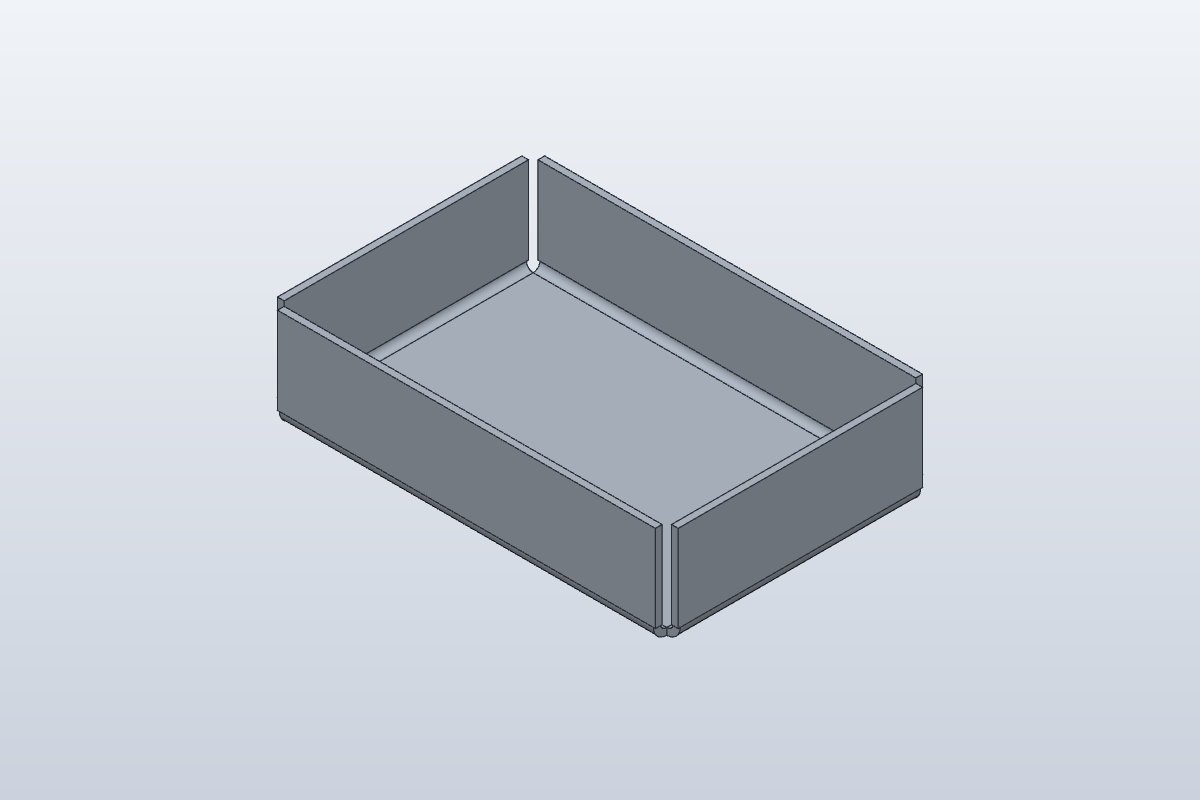
Video in productionBuild along with the steps in OP 30 meanwhile.
Chapters
- 00:00Start from a solid
- 00:30Box and Shell
- 01:20Convert: fixed face and bend edges
- 02:20The flat pattern
- 03:00A cover from a solid box
- 03:50Common mistake
- 04:20Your exercise
OP 20Turn the part
Drag to turn, scroll or pinch to zoom. Flat shows the blank before it is bent: the same sheet, the same frame.
OP 30Build it in SolidCraft
Your task
Turn a box into sheet metal twice in SolidCraft 0.21. First a tray:
- Use the rule Steel 2mm: thickness 2 mm, bend radius 2 mm, K-factor 0.4, active.
- Box: length 120 mm, width 80 mm, height 30 mm, at the origin.
- Shell it: remove the top face, thickness 2 mm.
- Convert to Sheet Metal: Fixed Face the floor, Bend Edges the four edges where the floor meets the walls, rule Steel 2mm.
- Click Flat Pattern (Sheet Metal tab › Flat) and write down the flat size and the number of bends.
- Now a cover: in a new design, make the rule Steel 2mm again (a new design has its own rules), then a Box of the same size, with no Shell.
- Convert to Sheet Metal: Fixed Face the top face, Bend Edges the four top edges.
- Click Flat Pattern and write down the flat size.
What to write down
- The tray's flat size: both numbers of the Flat size row.
- The tray's number of bends (the Bends row).
- The cover's flat size, long side.
Type them below and press Check. The solution's bend table may say "down" for one part and "up" for the other: that only depends on which side of the sheet you picked the Fixed Face on.
OP 40Inspect
Enter what SolidCraft shows you. Each value is checked against SolidCraft's own result, within the tolerance shown. Nothing you type leaves this page.
Show the drawing and bend table
exercise · Steel 2mm · t 2 · R 2 · K 0.4Flat blank 172.797 × 132.797 mm · 4 bends
| Bend | Angle | Dir. | R mm | Length mm | Allowance mm |
|---|---|---|---|---|---|
| 1 | 90° | down | 2 | 112 | 4.398 |
| 2 | 90° | down | 2 | 72 | 4.398 |
| 3 | 90° | down | 2 | 112 | 4.398 |
| 4 | 90° | down | 2 | 72 | 4.398 |
exercise-solid · Steel 2mm · t 2 · R 2 · K 0.4Flat blank 172.797 × 132.797 mm · 4 bends
| Bend | Angle | Dir. | R mm | Length mm | Allowance mm |
|---|---|---|---|---|---|
| 1 | 90° | up | 2 | 112 | 4.398 |
| 2 | 90° | up | 2 | 72 | 4.398 |
| 3 | 90° | up | 2 | 112 | 4.398 |
| 4 | 90° | up | 2 | 72 | 4.398 |
OP 50Quiz
Q1In Convert to Sheet Metal, what is the Fixed Face?
The flat faces reached from the Fixed Face across the Bend Edges become the sheet.
Q2You convert a solid (not shelled) box. Where does the sheet's thickness come from?
The solid's faces become the outside of the sheet, and the rule's thickness goes into the body.
Q3After converting, the flat pattern shows only 3 bends instead of 4. Why?
Only the faces reached across picked edges become sheet. Edit the feature and pick the missing edge.
Every value is within tolerance. This sheet is done.
Sheet 10: Perforate